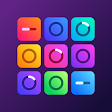
Groovepad – Music Maker is one of the most popular mobile music production apps, designed to help anyone create professional-sounding beats, songs, and remixes with just a few taps. Developed by Easybrain, Groovepad has been downloaded over 100 million times and has become a favorite app for aspiring DJs, music producers, and casual music lovers around the world. Whether you're creating your first beat or experimenting with advanced music styles, Groovepad provides an intuitive platform that makes music production simple, fun, and accessible.
Unlike complicated desktop music software, Groovepad allows users to create tracks instantly using colorful drum pads, professionally produced sound packs, Live Loops, and built-in audio effects. Simply choose your favorite music genre, tap the pads, combine different loops, and watch your original music come to life. Every sound is perfectly synchronized, allowing beginners to create impressive songs without needing prior musical experience.
The app supports a wide variety of popular genres, including Hip-Hop, EDM, House, Trap, Dubstep, Drum & Bass, Electronic, and many more. Advanced audio effects such as Reverb, Delay, Filter, and Flanger help users customize their music and create unique sounds that stand out.
Whether you're making beats for fun, practicing DJ skills, producing original tracks, or sharing your creations with friends, Groovepad delivers a complete mobile music-making experience that's suitable for all skill levels.
| Information | Details |
|---|---|
| App Name | Groovepad – Music Maker |
| Category | Music & Audio |
| Version | 1.27.0 |
| Developer | Easybrain |
| Release Date | July 2, 2019 |
| Last Updated | December 4, 2025 |
| Downloads | 100,000,000+ |
| Download Size | 108 MB |
| Platform | Android |
| Content Rating | Rated for 3+ |
| Requires Android | Android 7.0 and Up |
| In-App Purchases | ₹199.00 – ₹4,100.00 per item |
Groovepad features simple touch controls that make creating music enjoyable for beginners and experienced producers alike.
Tap colorful pads to trigger sounds.
Mix loops in real time.
Activate Live Loops for seamless transitions.
Apply audio effects with a single tap.
Record your performance.
Save and share your music creations.
The responsive controls make it easy to experiment with different rhythms and create professional-quality tracks in minutes.
Professional beat-making tools
Colorful launch pads
Huge library of sound packs
Live Loops technology
Multiple music genres
High-quality audio samples
Reverb, Delay, Filter, and Flanger effects
Easy music recording
Share your songs instantly
Beginner-friendly interface
Smooth animations
Regular content updates
Groovepad – Music Maker transforms your smartphone into a portable music studio where anyone can create original songs without expensive equipment or technical knowledge. The app combines professional-quality sound samples with an intuitive interface, making music production both fun and accessible.
After selecting a music genre, users are presented with colorful pads containing drums, bass lines, melodies, vocals, and special sound effects. Tapping different pads instantly produces synchronized loops that automatically stay in rhythm, allowing users to focus on creativity rather than technical details.
One of Groovepad's standout features is Live Loops, which automatically blend multiple sounds together to create smooth, professional transitions. Even first-time users can produce polished tracks by simply experimenting with different combinations of loops.
To further customize songs, Groovepad includes a collection of professional DJ effects such as Filter, Flanger, Delay, and Reverb. These effects help transform simple beats into dynamic musical performances that sound rich and engaging.
The app's extensive sound library covers today's most popular electronic music genres, including Hip-Hop, Trap, EDM, House, Dubstep, Drum & Bass, and Electronic. New sound packs and updates regularly expand the creative possibilities.
Once your masterpiece is complete, you can record your performance and easily share it with friends or social media. Whether you're practicing finger drumming, producing beats, or simply enjoying music creation as a hobby, Groovepad offers endless creative opportunities.
Creating music with Groovepad is both simple and rewarding. Players begin by choosing a music genre and loading a corresponding sound pack.
Each colorful pad contains a different instrument, rhythm, vocal sample, bass line, or special effect. By tapping multiple pads together, users create complete musical arrangements that automatically remain synchronized.
As confidence grows, players can experiment with Live Loops, layer additional sounds, apply DJ effects, record performances, and build increasingly sophisticated songs. Every session encourages creativity and musical experimentation.
Select your favorite style, such as Hip-Hop, EDM, House, Trap, or Dubstep.
Tap different pads to hear individual loops and samples.
Mix drums, melodies, bass, vocals, and effects together.
Create seamless musical transitions automatically.
Enhance your track using Reverb, Delay, Filter, and Flanger.
Save your live performance with the built-in recorder.
Export and share your original creations with friends and family.
Start with a simple drum beat.
Add bass before melodies.
Experiment with different genres.
Use Live Loops for smoother transitions.
Apply effects sparingly for cleaner mixes.
Wear headphones for better sound quality.
Practice different rhythm combinations.
Save your favorite projects regularly.
Explore every available sound pack.
Keep experimenting to develop your own style.
Groovepad makes music production accessible to everyone by removing the complexity normally associated with professional audio software. Its colorful interface, high-quality sound library, Live Loops, and professional effects allow anyone to create impressive songs within minutes. Whether you're a beginner exploring music for the first time or an experienced producer looking for portable inspiration, Groovepad offers an enjoyable and creative experience.
The app encourages experimentation, helping users develop rhythm, creativity, and confidence while producing music they can proudly share with others.
✔ Over 100 million downloads
✔ Beginner-friendly interface
✔ Professional-quality sound packs
✔ Live Loops technology
✔ Multiple music genres
✔ High-quality DJ effects
✔ Easy recording and sharing
✔ Smooth performance
✔ Regular updates
✔ Suitable for all skill levels
✖ Some premium sound packs require purchases
✖ Advanced studio features are limited compared to desktop software
✖ Internet connection may be required for additional content
✖ Some effects require premium access
Yes. Groovepad is free to download and includes optional in-app purchases for premium content and sound packs.
Absolutely. The app is specifically designed to help beginners create professional-sounding music with simple touch controls.
Groovepad supports Hip-Hop, EDM, House, Trap, Dubstep, Drum & Bass, Electronic, and several other music styles.
Live Loops automatically synchronize different sounds and transitions, making music creation smoother and more professional.
Yes. You can record, save, and share your original musical creations directly from the app.
Yes. The app includes professional audio effects such as Reverb, Delay, Filter, and Flanger.
Groovepad – Music Maker was developed by Easybrain, one of the leading developers of creative and puzzle apps.
Groovepad has surpassed 100 million downloads on Android.
If you enjoy Groovepad – Music Maker, you may also like:
Drum Pad Machine – Beat Maker
BandLab
FL Studio Mobile
Beat Maker Pro
Music Maker JAM
Launchpad – Make & Remix Music
Walk Band
Remixlive
DJ Studio 5
Caustic 3
Groovepad – Music Maker is one of the best mobile music production apps for anyone who wants to create beats, songs, and remixes without needing professional studio equipment. Its intuitive controls, colorful launch pads, high-quality sound packs, Live Loops, and powerful audio effects make music creation both easy and enjoyable. Whether you're experimenting with electronic music, practicing DJ skills, or producing original tracks, Groovepad provides everything needed to unleash your creativity.
With over 100 million downloads, regular updates, and support for multiple music genres, Groovepad – Music Maker continues to be one of the most popular and beginner-friendly music creation apps available on Android. Download Groovepad today and start producing your own beats, remixes, and original songs with just a few taps.